General Settings
Manage the site identity, organization ownership, and project lifecycle under Project Settings → General.
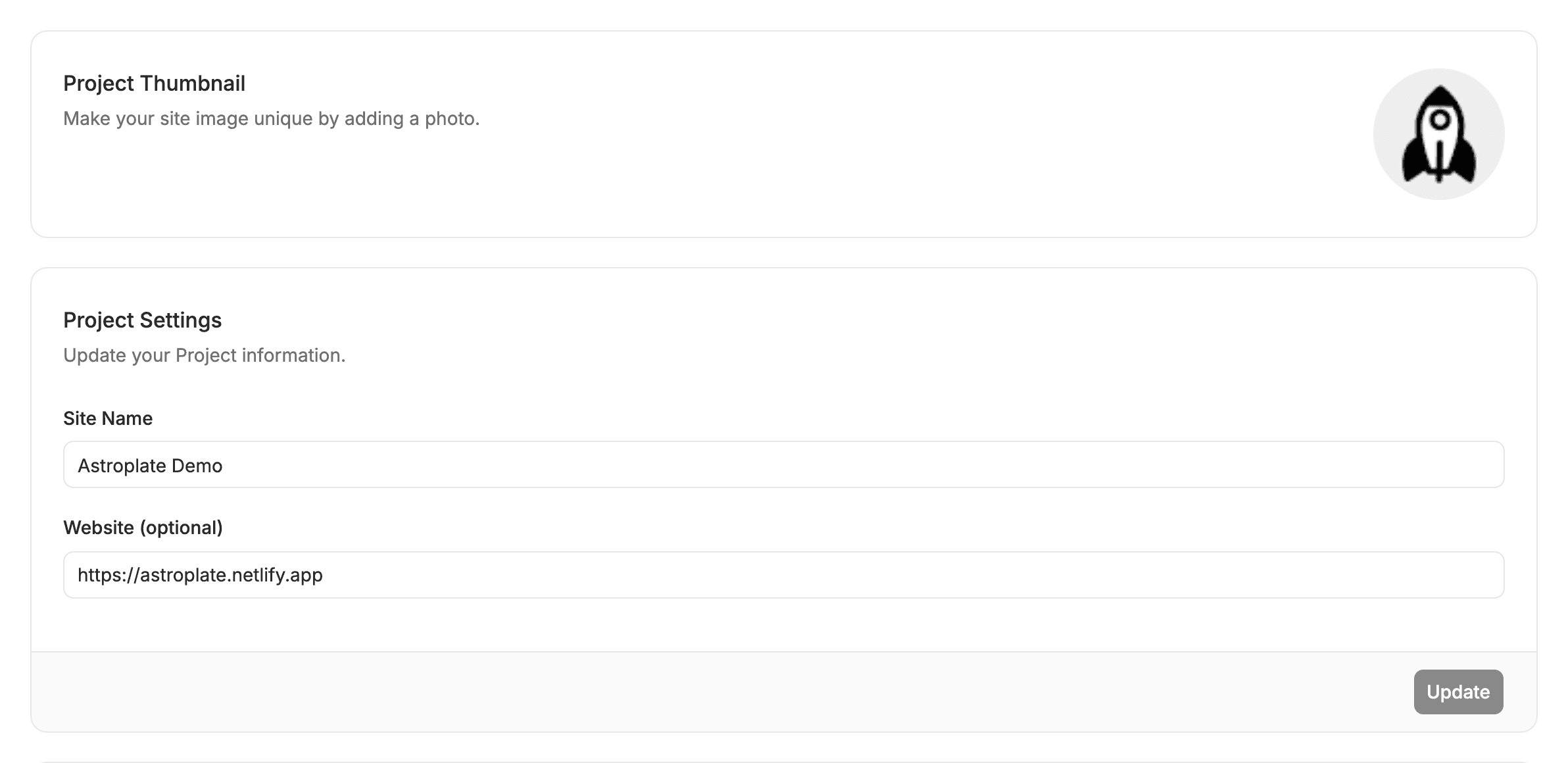
🏷️ Site Details
- Site Name: The friendly label displayed in your dashboard and navigation bar.
- Website URL: Your live published production URL (used for live preview images and SEO snippet testing).
- Project Thumbnail: Custom cover image shown in the sites list card view.
📦 Lifecycle Actions
Move Project (Transfer Ownership)
Transfer a site to another organization you own (e.g. handing off a project to a client’s organization). Schemas, snippets, and settings transfer automatically.
Archive Project
Temporarily deactivates the site:
- Frees up a site slot against your plan limit.
- Puts site content into read-only mode while preserving all configurations.
- Click Restore Project at any time to reactivate it immediately.
Delete Project
Removes the project from Sitepins.
Your Git repository is 100% safe. Deleting a project only removes Sitepins configurations (schemas and snippets). Your code and content on GitHub or GitLab are never deleted.
Last updated on