Config Files
Sitepins stores all project settings directly inside your Git repository under the .sitepins folder. This ensures configuration stays version-controlled alongside your code.
📁 Repository Structure
your-repository/
├── .sitepins/
│   ├── config.json       # Content, media, and public folder mappings
│   ├── schema/           # Form blueprints for collections (e.g. blog.json)
│   └── snippet/          # Reusable shortcodes & component blueprints
├── src/content/          # Your markdown and data files
└── public/images/        # Your media files
📄 .sitepins/config.json
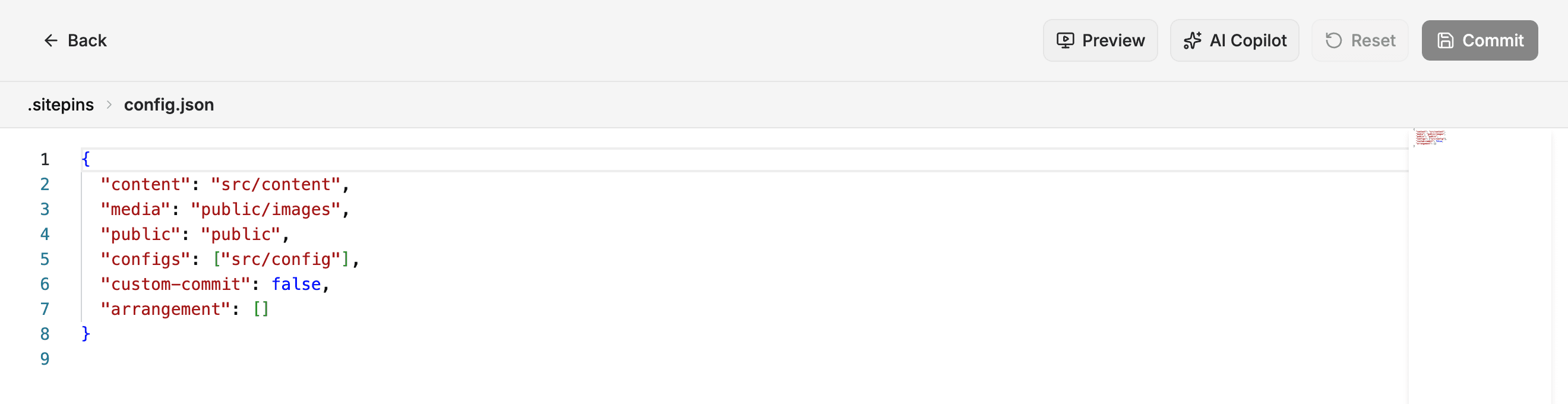
The central configuration file is automatically managed by the Sitepins UI:
{
  "content_dir": "src/content",
  "media_dir": "public/images",
  "public_dir": "public",
  "default_frontmatter": "yaml",
  "default_extension": "md"
}- Zero Vendor Lock-In: You can edit
.sitepins/config.jsonmanually in any text editor, or through Project Settings → Configure. - Portable Across Environments: If a teammate clones your repo, Sitepins recognizes the configuration immediately without requiring re-setup.
Last updated on