Visual & Code Editing
Sitepins gives you the best of both worlds: a distraction-free visual editor for non-technical authors, and raw Markdown or Monaco code editing for developers.
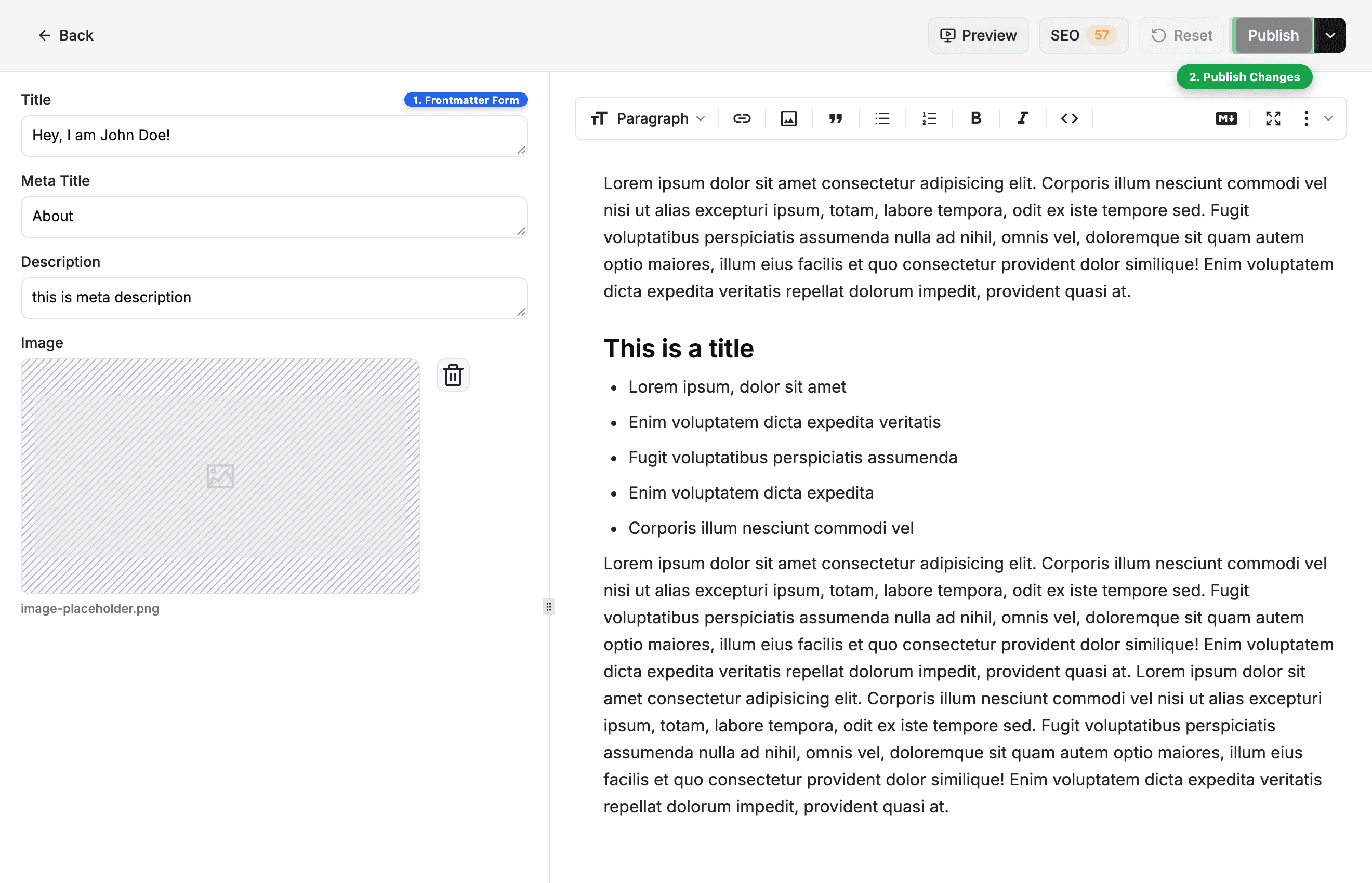
✍️ Editing Guides
- Rich Text Editor: Visual block editor with frontmatter form, slash menu (/), and floating formatting toolbar.
- Markdown Mode: 1-click toggle (Ctrl+M) to write in raw Markdown without losing cursor position.
- Code Editor: Built-in Monaco editor for editing templates, configs, CSS, and scripts.
- Live Preview: Real-time dev server container preview updating as you type before saving.
- AI Assistant: In-editor writing assistant with inline autocomplete, SEO generator, and code explain.
- SEO Tools: Real-time Google search snippet preview, social sharing cards, and 1-click AI auto-fixes.
- Blocks & Embeds: YouTube videos, Twitter/X cards, Callouts, Tables, and syntax-highlighted code.
- Content Snippets: Reusable shortcodes and MDX component blueprints.
- Saving & Publishing: Direct commit vs. pull request review workflows.
- Version History: Browse past Git commits, side-by-side visual diffs, and 1-click rollbacks.
Last updated on