Content Schemas
A schema is a visual form template. When an editor creates a new post, the schema ensures all the right fields (Title, Date, Author, Cover Image, Tags) appear automatically.
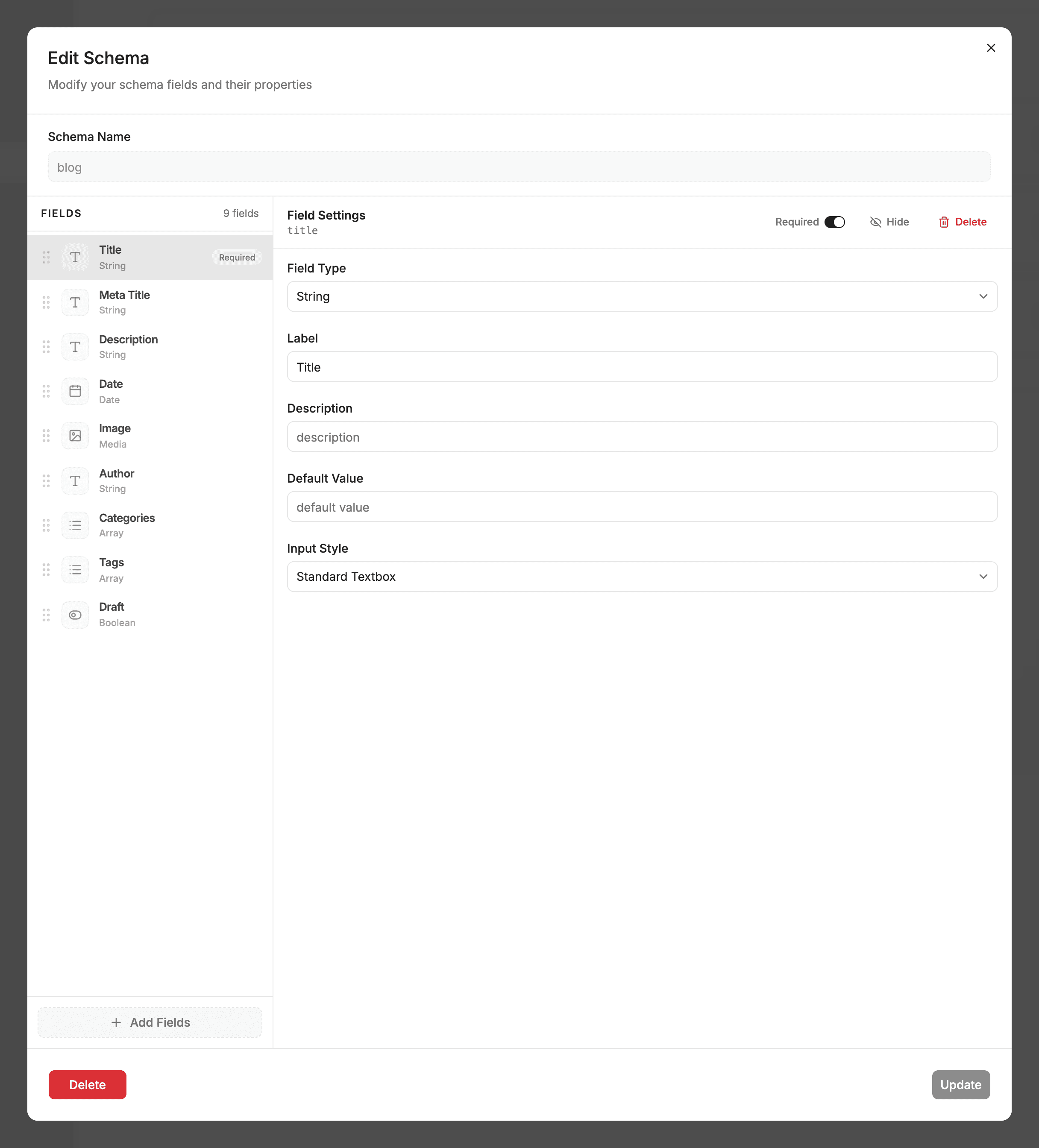
⚡ When Do You Need a Schema?
- Use Schemas for Collections: Folders that regularly grow (e.g.
blog/,authors/,products/,docs/). - Skip Schemas for One-Off Pages: Single files like
homepage,about.md, orcontact.mddo not need schemas. Sitepins reads their existing frontmatter automatically.
Rule of thumb: Would you ever click “Add New” in this folder? If yes, create a schema. If it’s a single static page, you don’t need one!
🛠️ Visual Schema Builder (3-Click Setup)
- Open any content folder and click Create Schema.
- Pick an existing Markdown file as a template.
- Sitepins automatically inspects your frontmatter and generates the schema fields!
- Customize labels, mark fields as required, or reorder them, then click Save.
Schemas are stored cleanly in your Git repository under .sitepins/schema/<folder>.json.
📋 Supported Field Types
| Field Type | Best Used For |
|---|---|
| Text & Textarea | Short headings, descriptions, and summaries. |
| Markdown / Rich Text | Full formatted body content with embeds and blocks. |
| Number | Order index, pricing, ratings, or read time. |
| Boolean | Draft switches, featured toggles, and flags. |
| Date & Datetime | Published dates and event timestamps. |
| Image & File | Media pickers linking directly to your Media Library. |
| Select & Multi-Select | Categories, themes, and static dropdown choices. |
| Tags / String List | Comma-separated tags or lists of strings. |
| Object & List of Objects | Complex nested components (e.g., FAQ accordions, testimonial cards). |
| Relation | Dynamic dropdowns linking to other collections (e.g., choosing an Author for a Post). |
💻 Developer Reference: Schema File Format
Schemas live in .sitepins/schema/ as JSON files matching your content folder name:
{
  "name": "blog",
  "folder": "src/content/blog",
  "fields": [
    { "name": "title", "label": "Post Title", "type": "text", "required": true },
    { "name": "date", "label": "Publish Date", "type": "date", "required": true },
    { "name": "image", "label": "Cover Image", "type": "image" },
    { "name": "draft", "label": "Draft", "type": "boolean", "default": false }
  ]
}
Last updated on