Project Settings → General holds a project’s identity and its lifecycle actions.
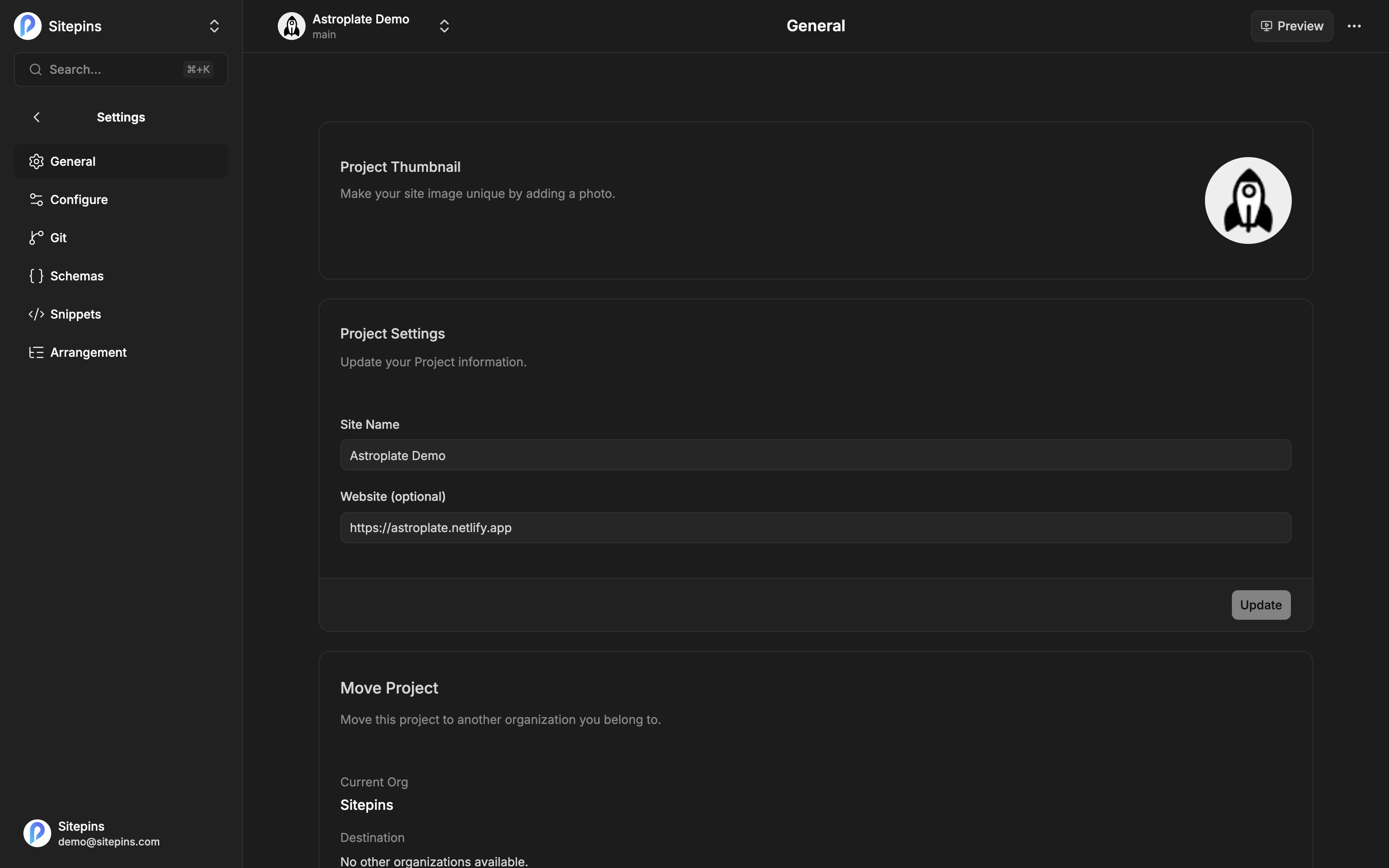
Site Details
| Field | What it does |
|---|---|
| Project Thumbnail | The image shown on the sites list. Sitepins falls back to your site’s own screenshot or initials if you don’t set one. |
| Site Name | How the site appears in your dashboard. Purely a label — it doesn’t affect the repository or the published site. |
| Website | Your site’s live URL. Used for the preview image and the SEO panel’s search preview. |
Changing these needs the admin or owner role.
Move Project
Move a project to a different organization — handing a site to a client, or splitting a growing account into separate organizations.
- Pick a Destination organization
- Confirm
The repository connection, schemas, snippets, and settings move with it. What changes is which organization’s members can see it, and which organization’s plan limits apply.
Requires the owner role.
Members of the old organization lose access immediately. Make sure the people who need the project are members of the destination organization first.
Archive Project
Archiving takes a project out of active use without deleting anything.
- It disappears from the active sites list
- Content, media, configs, and code become read-only — those sections are blocked with a notice
- Settings stay reachable so you can restore it
- It stops counting against your plan’s site limit
Click Restore Project to bring it back exactly as it was.
Requires the owner role.
Archiving is the right move for a finished client project, a seasonal site, or freeing a slot without losing anything. Your repository is untouched either way — archiving is a Sitepins state, not a Git operation.
Delete Project
Removes the project from Sitepins. You’ll be asked to type CONFIRM.
Deleting a project removes it from Sitepins along with its schemas, snippets, arrangement, and settings. Your Git repository and all its content are untouched — Sitepins never deletes your repo. But the Sitepins-side configuration is gone, and reconnecting the repository means setting it up again.
Requires the owner role. If you might want it back, archive instead.
What Happens to the Repository
Worth stating clearly, because it’s the most common worry:
| Action in Sitepins | Effect on your Git repository |
|---|---|
| Rename the site | None |
| Move to another organization | None |
| Archive | None |
| Delete the project | None — the repo and its contents remain |
| Delete a file or folder in the CMS | The file is deleted, as a commit |
Sitepins only writes to your repository when you edit content. Project-level actions are about Sitepins’ own records.
Other Project Settings
- Configure — content, media, public, and config folders, plus commit message preferences
- Git — repository and branch
- Schemas — the fields editors see
- Snippets — reusable blocks
- Arrangement — sidebar layout