Sitepins allows you to connect your own AI provider API key to unlock AI-powered writing inside the editor. Choose from multiple leading AI providers to create, rewrite, and improve content—without ever leaving the CMS.
Supported AI Providers
Sitepins supports the following AI providers:
- OpenAI (ChatGPT) - Industry-leading models including GPT-4.1, GPT-4o, and GPT-3.5-turbo
- Google Gemini - Google’s advanced AI models including Gemini 3 Pro, Gemini 2.5 Pro, and Flash variants
- Anthropic Claude - Claude Sonnet and Haiku models for sophisticated content generation
- xAI Grok - Fast reasoning and non-reasoning models from xAI
Key Features
- Generate content based on a short prompt
- Rewrite selected text with alternate tone or structure
- Summarize long content into key points
- Fix spelling and grammar
- Sitepins Copilot - Get intelligent autocomplete suggestions as you type
- All directly from the editing interface
How to Enable AI Integration
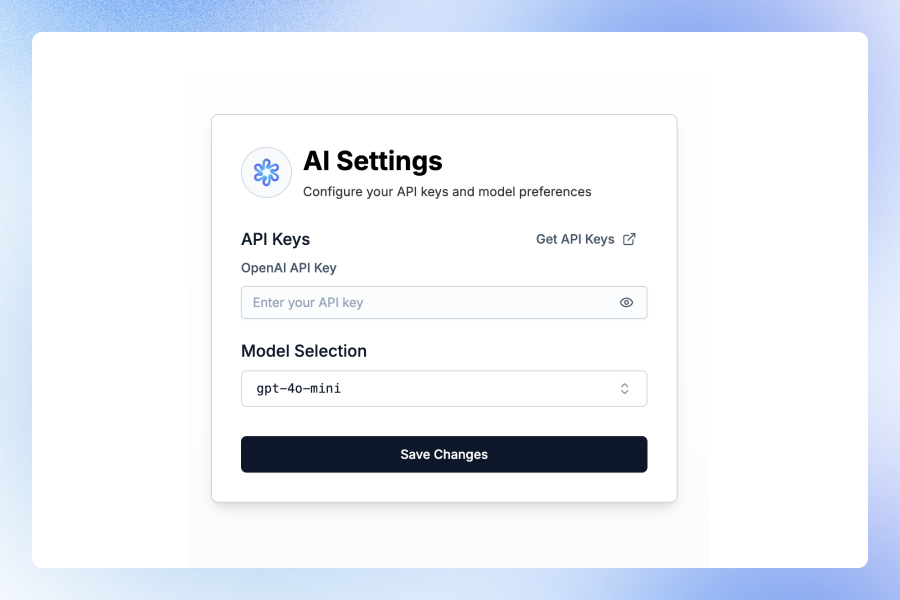
- Go to the Sitepins AI page in your dashboard
- Select your preferred AI Provider from the dropdown:
- OpenAI (ChatGPT)
- Google (Gemini)
- Anthropic (Claude)
- xAI (Grok)
- Choose your preferred Model based on the selected provider
- Enter your API Key for the selected provider
- Optionally enable Sitepins Copilot for autocomplete suggestions while typing
- Click Save Changes
Getting API Keys
You can obtain API keys from the following providers:
- OpenAI: platform.openai.com/account/api-keys
- Google Gemini: aistudio.google.com/apikey
- Anthropic: console.anthropic.com
- xAI: console.x.ai
Once enabled, AI features will appear in the toolbar of the Rich Text Editor.
Your API key is stored locally in your browser only and is never shared with other users or stored in our database. If you switch or clear your browser, you’ll need to re-enter your API key.
Sitepins Copilot
Sitepins Copilot is an intelligent autocomplete feature that suggests content as you type in the editor. When enabled, it uses your configured AI provider to offer contextual suggestions, helping you write faster and more efficiently.
To enable Copilot, simply toggle the Sitepins Copilot switch in the AI settings page.
Where AI Works
AI editing is only available inside the Rich Text Editor view.
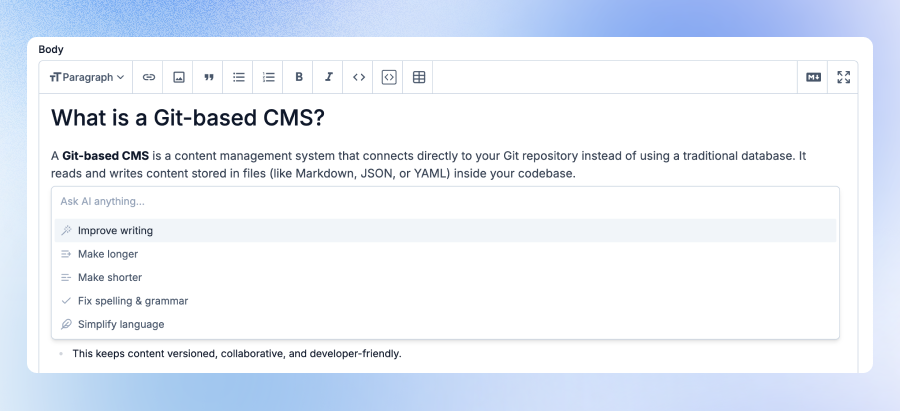
- Markdown files opened in the visual editor can use AI suggestions
- Non-Markdown formats do not currently support AI features
Need help? Join our Discord Community or Reach out to Support